
Table of Contents
As an Amazon Associate, we earn from qualifying purchases. This means we may receive a small commission at no extra cost to you when you buy through links on this page.
What is Object Recognition in Robot Vacuums?
Object recognition in robot vacuums is a game-changer. Gone are the days of your robot bumping into furniture and getting hopelessly tangled in cables. This technology uses a combination of advanced components: high-resolution cameras, sophisticated AI algorithms (often utilising neural networks), and an array of sensors – including depth sensors and infrared – to ‘see’ and identify objects in its path. The camera captures visual data which is then processed by the AI to categorise objects.
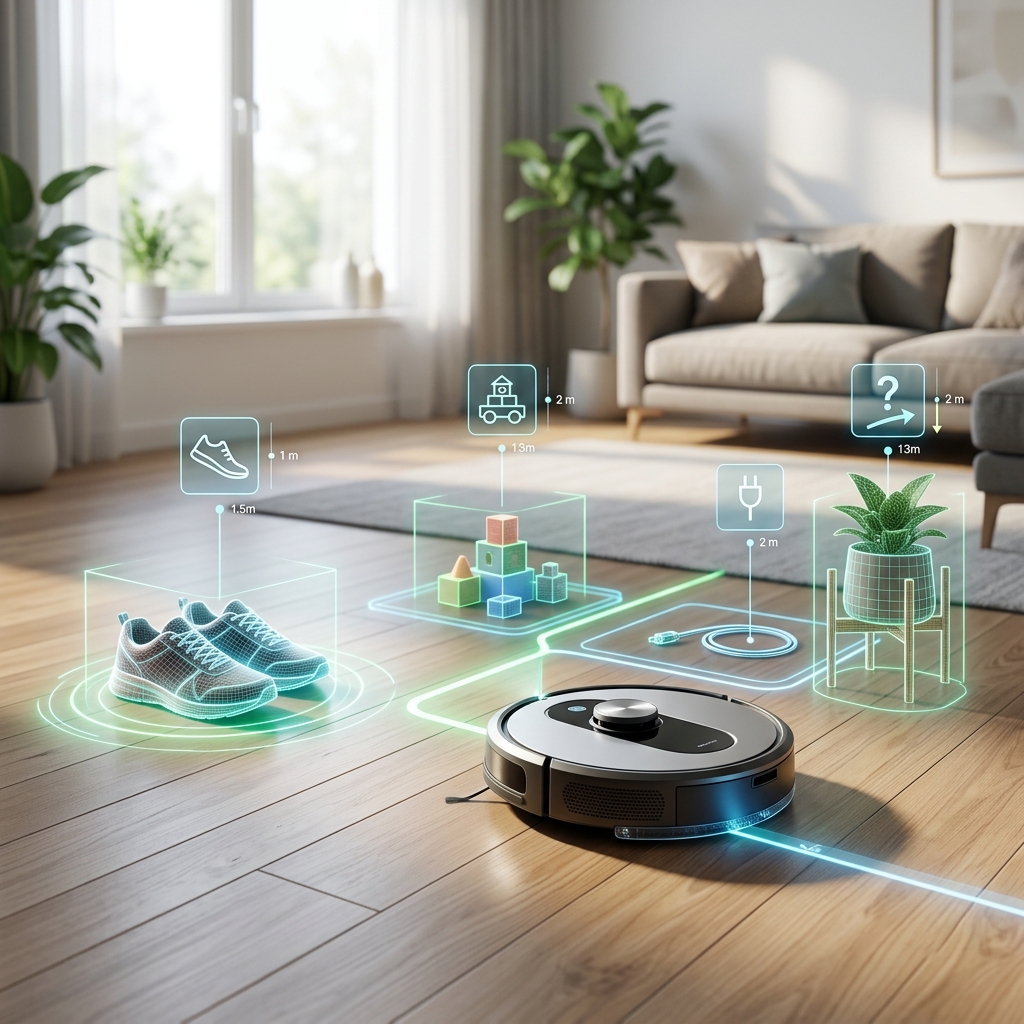
Unlike traditional ‘bump-and-go’ navigation, and even early mapping systems, object recognition allows the vacuum to actively avoid obstacles. By 2026, we can expect significantly improved AI, enabling recognition of a far wider range of objects, including specific items like shoes, toys, and even pet bowls. The processing power onboard these devices has also increased dramatically, meaning faster and more accurate identification.
Why Choose a Robot Vacuum with Object Recognition?
For busy UK households, a robot vacuum with object recognition offers a wealth of benefits. Firstly, it significantly reduces the chances of the robot getting stuck, saving you the frustration of constant rescues. Secondly, and crucially, it avoids unpleasant encounters with pet waste – a common issue for pet owners. It will also learn to protect your furniture, preventing accidental damage.
The cleaning patterns become more efficient as the robot intelligently navigates around obstacles, ensuring a more thorough clean. Perhaps most importantly, it reduces the need for extensive pre-cleaning – you no longer need to spend ages picking up everything before letting the robot loose. This technology truly simplifies life, freeing up your time for more enjoyable pursuits. It’s particularly valuable for those with busy lifestyles or limited mobility.
Top Robot Vacuums with Object Recognition (2026) – UK Market
Here’s a comparison of some of the leading robot vacuums with object recognition available in the UK as of 2026:
| Model | Price (GBP) | Suction Power (Pa) | Battery Life (mins) | Object Recognition | Smart Home Integration | Self-Emptying Dock |
|---|---|---|---|---|---|---|
| Dyson 360 Vis Nav Robot Vacuum | £1299.99 | 240 | 60 | Advanced – 360° Vision System | Alexa, Google Assistant | Yes |
| iRobot Roomba j9+ with Object Recognition | £1149.99 | 200 | 75 | Excellent – Precise Visual Navigation | Alexa, Google Assistant | Yes |
| Roborock S8 Pro Ultra | £1499.99 | 6000 | 180 | ReactiveAI 3D – Superior obstacle avoidance | Alexa, Google Assistant, Siri | Yes – Wash & Dock |
| Eufy RoboVac X9 Pro | £899.99 | 6000 | 150 | AI.Space Navigation – Good overall performance | Alexa, Google Assistant | No |
| Shark AI Ultra Robot Vacuum | £749.99 | 2000 | 120 | AI Laser Navigation – Decent object avoidance | Alexa, Google Assistant | Yes |
| DreameBot L20s Ultra | £1349.99 | 7000 | 180 | AI Object Recognition – Excellent accuracy | Alexa, Google Assistant | Yes – Mop & Dock |
| Samsung Jet Bot AI+ | £1199.99 | 3000 | 90 | AI Object Recognition – Good for smaller objects | Alexa, Google Assistant | Yes |
Our Top Pick: Roborock S8 Pro Ultra
While all models offer excellent features, the Roborock S8 Pro Ultra stands out due to its exceptionally powerful suction, long battery life, and the advanced ReactiveAI 3D object recognition system. The added benefit of the wash and dock functionality makes it a truly all-in-one cleaning solution. It’s a premium price, but the performance justifies the investment.
Key Features to Look for in 2026
Beyond basic object recognition, several features are crucial in 2026:
- Multi-Floor Mapping: The ability to store and navigate multiple floor plans is essential for larger homes.
- Zoned Cleaning: Specify areas for focused cleaning, or exclusion zones.
- No-Go Zones: Virtually mark areas (e.g., around delicate objects, pet food bowls) that the robot should avoid, even beyond object recognition.
- App Control: Remote control, scheduling, and monitoring via a user-friendly mobile app.
- Voice Assistant Compatibility: Seamless integration with Alexa and Google Assistant for hands-free control.
- Self-Emptying Docks: Automatic dustbin emptying – a huge convenience, reducing maintenance frequency. Expect docks to include automatic mop washing and drying in premium models.
In 2026, we’re also seeing a trend towards more personalized cleaning experiences. AI is learning to adapt to your specific home layout and cleaning preferences, optimizing cleaning routes and intensity accordingly.
Object Recognition vs. Other Navigation Technologies
Let’s compare object recognition to other common navigation technologies:
- LiDAR: Uses lasers to create a detailed map of the environment. Excellent for accuracy and mapping, but can struggle with dark environments and identifying *what* an object is, only *where* it is.
- vSLAM (Visual Simultaneous Localization and Mapping): Uses cameras to build a map. Less expensive than LiDAR, but can be less accurate and reliant on good lighting. Like LiDAR, it doesn’t inherently understand object *identity*.
- Camera-Based Navigation (without Object Recognition): Uses cameras for navigation, but relies on basic obstacle avoidance. Prone to bumping into objects and getting stuck.
- Object Recognition: Combines visual and sensor data with AI to identify and avoid objects proactively. Offers the most intelligent and efficient cleaning experience.
Object recognition excels in dynamic environments where objects are frequently moved. It’s particularly effective in homes with children, pets, or a cluttered lifestyle.
How to Prepare Your Home for a Robot Vacuum with Object Recognition
To ensure optimal performance:
- Declutter: Pick up small objects like toys, shoes, and clothing.
- Secure Cables: Use cable ties or conceal cables to prevent tangling.
- Raise Curtains: Ensure curtains don’t obstruct the robot’s path.
- Pet Bowls: If possible, temporarily move pet bowls during cleaning or designate a no-go zone.
While object recognition is advanced, it’s not foolproof. Regularly check the robot’s cleaning path and make adjustments as needed.
Maintenance and Troubleshooting
Regular maintenance is crucial for keeping your robot vacuum in top condition:
- Brush Cleaning: Remove tangled hair and debris from the brushes weekly.
- Dustbin Emptying: Empty the dustbin (or the self-emptying dock) after each cleaning cycle or as needed.
- Software Updates: Install software updates to benefit from bug fixes and new features.
- Sensor Cleaning: Wipe the sensors clean to maintain accuracy.
Expected maintenance costs include replacement brushes (£20-£50 per set annually) and filters (£10-£30 per set annually). More significant repairs may require professional servicing, costing £80-£200 depending on the issue.
Future of Robot Vacuum Object Recognition
The future of robot vacuum object recognition is incredibly exciting. We can expect:
- Improved AI: More accurate and faster object recognition, capable of identifying a wider range of items.
- Recognition of More Object Types: Identifying and categorising objects with greater nuance (e.g., recognising different types of shoes).
- Integration with Smart Home Security Systems: Using the robot’s cameras as part of a home security system, providing remote monitoring and alerts.
- Personalized Cleaning Experiences: AI learning your cleaning habits and preferences to create truly tailored cleaning schedules and routines.
FAQ
Q: Will a robot vacuum with object recognition work on carpets?
A: Yes, most models are designed to work effectively on both hard floors and carpets. However, deeper pile carpets may require more powerful suction.
Q: How accurate is the object recognition?
A: Accuracy varies by model, but the technology is constantly improving. Premium models boast very high accuracy, successfully avoiding most common household objects.
Q: Can I control the robot vacuum when I’m away from home?
A: Yes, all models mentioned offer app control, allowing you to start, stop, and schedule cleaning cycles remotely.
Q: What happens if the robot encounters an object it doesn’t recognise?
A: The robot will typically attempt to navigate around the unknown object. In some cases, it may send a notification to your app asking for assistance.
Q: Are self-emptying docks worth the extra cost?
A: For many users, yes. They significantly reduce maintenance and offer a substantial convenience.