
Table of Contents
Introduction: Why Emptying Matters
Robot vacuums have revolutionised home cleaning, becoming increasingly sophisticated since their early iterations. Gone are the days of tiny bins requiring almost daily attention. Modern models boast larger capacities and even self-emptying docks, but the fundamental principle remains the same: a full bin drastically reduces cleaning performance. Regularly emptying your robot vacuum’s bin isn’t just about maintaining suction; it’s about preventing secondary dust dispersal and potentially damaging the appliance itself. When the bin is full, the robot has to work harder, leading to strain on the motor and potentially shortening its lifespan. This guide will help you determine the optimal emptying schedule for your robotic cleaner in 2026.
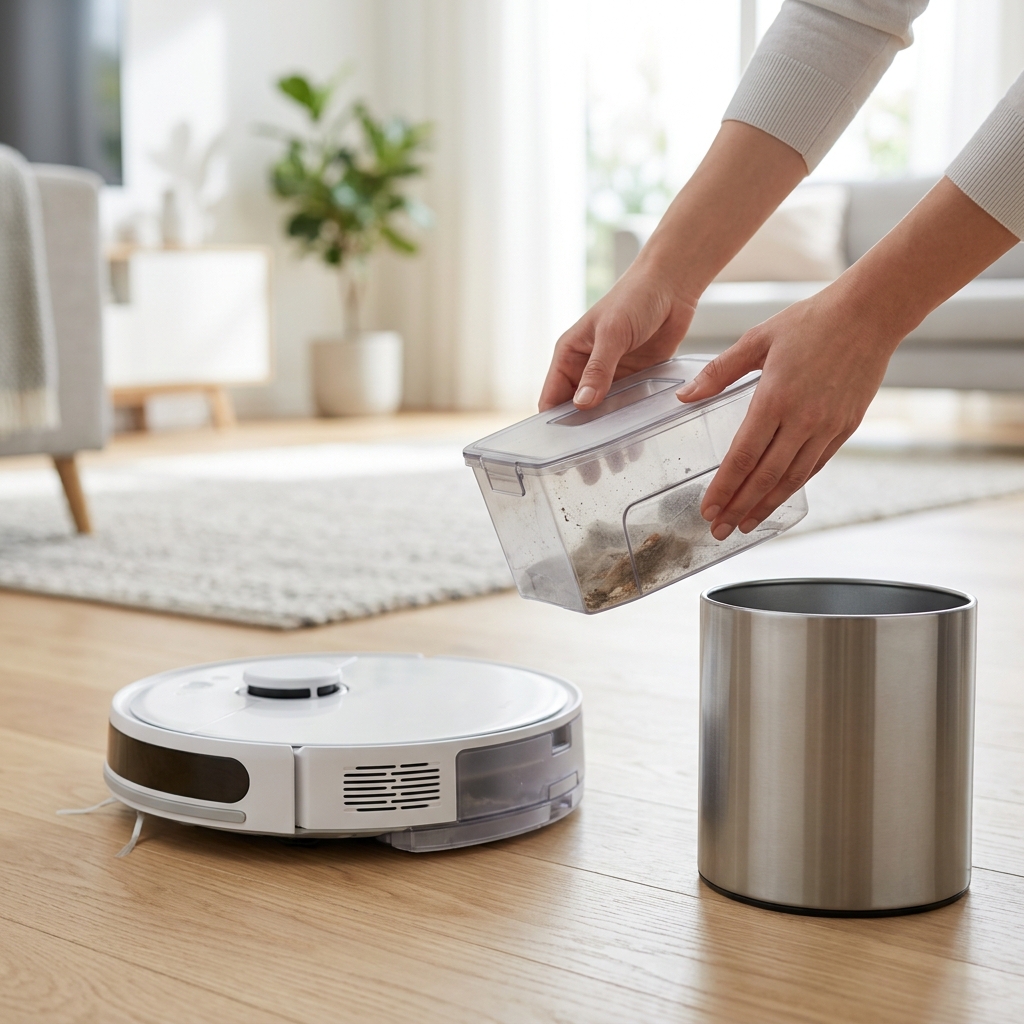
Understanding Your Robot Vacuum’s Bin Capacity
Robot vacuum bin sizes vary considerably depending on the model and price point. Generally, you’ll find capacities ranging from 300ml to 600ml. The introduction of auto-empty docks has also radically changed the landscape, as these collect debris from the robot over several cleaning cycles before requiring manual intervention. A larger bin capacity doesn’t automatically mean less frequent emptying, as factors like pet hair and floor type play a significant role. Here’s a comparison of common bin sizes and the approximate cleaning areas they could handle before needing emptying (these are estimates and will vary):
| Bin Capacity (ml) | Estimated Cleaning Area (approx.) | Typical Robot Vacuum Models (2026) |
|---|---|---|
| 300ml | 50-75m² | Older models, some budget options |
| 400ml | 75-100m² | Mid-range models like the Shark AI Ultra Robot Vacuum (£549.99) |
| 500ml | 100-150m² | Some advanced models, iRobot Roomba j7+ (£799.0) |
| 600ml+ | 150m²+ | High-end models with larger homes in mind |
Factors Influencing Emptying Frequency
Several key factors dictate how often you’ll need to empty your robot vacuum bin:
- Pet Ownership: Pets, especially those who shed, dramatically increase the amount of debris collected. Long-haired breeds will demand more frequent emptying.
- Floor Type: Carpets trap more dust, dirt, and hair than hard floors. Expect to empty the bin more often if you have predominantly carpeted floors.
- Home Size: Larger homes naturally require more cleaning area and therefore generate more debris.
- Frequency of Cleaning Runs: If you run your robot vacuum daily, you’ll need to empty the bin more often than if you only run it a few times a week.
- Foot Traffic: High-traffic areas accumulate dirt and dust faster, leading to a fuller bin.
The ‘General Rule’ & Typical Schedules
As a general guideline, many manufacturers recommend emptying the bin after every cleaning cycle. However, this isn’t always practical. Here are some suggested schedules based on household types:
- Single/Couple with No Pets: Empty the bin every 2-3 cleaning cycles.
- Family with One Pet (Moderate Shedding): Empty the bin after each cleaning cycle, or at least every other cycle.
- Family with Multiple Pets or Heavy Shedding: Empty the bin after *every* cleaning cycle.
- Larger Homes (150m²+) : Empty the bin after each cleaning cycle, regardless of pet ownership.
Remember, these are starting points. Pay attention to the signs (detailed below) and adjust your schedule accordingly.
Signs Your Robot Vacuum Bin is Too Full
Don’t wait for a scheduled emptying. Watch for these telltale signs that your robot vacuum bin is nearing capacity:
- Reduced Suction Power: The most obvious sign. If the robot struggles to pick up even small debris, the bin is likely full.
- Robot Struggling to Pick Up Debris: Visible debris left behind after a cleaning cycle.
- Increased Noise: A full bin puts extra strain on the motor, often resulting in a louder operating sound.
- Error Messages on the App: Many modern robot vacuums will display an error message indicating a full bin in their companion app.
- Dust Being Blown Out: If you see dust being expelled from the sides of the robot vacuum, the bin is definitely overfilled.
Robot Vacuums with Auto-Empty Docks: A Game Changer
Auto-empty docks, such as those found with the Ecovacs Deebot X2 Omni (£1099.0) and Roborock S8 Pro Ultra (£1199.0), represent a significant advancement in robotic vacuum technology. These docks automatically suck the debris from the robot’s bin into a larger, sealed dustbin within the dock itself. This drastically reduces the frequency of manual emptying, often to once a month or even two months, depending on usage. The convenience is undeniable, but remember to regularly check and empty the dock’s dustbin! It’s also important to ensure the auto-empty function is working correctly.
Maintaining Your Robot Vacuum Bin for Longevity
Beyond simply emptying the bin, proper maintenance is crucial for optimal performance:
- Regular Cleaning: Occasionally wipe down the bin with a dry cloth to remove any lingering dust or debris.
- Filter Replacement: HEPA filters capture microscopic particles and should be replaced every 2-3 months (or as recommended by the manufacturer). Failing to do so can reduce suction and air quality. Replacement filters typically cost between £15-£30.
- Check for Blockages: Regularly inspect the bin and the intake port for any obstructions, such as tangled hair or large objects.
Troubleshooting: Robot Vacuum Still Losing Suction After Emptying?
If you’ve emptied the bin and your robot vacuum is *still* experiencing suction loss, consider these potential issues:
- Clogged Filters: A dirty filter is the most common culprit. Replace or clean it.
- Blocked Brushes: Hair and debris can become tangled around the main brush and side brushes. Remove and clean them regularly.
- Full Dustbin in Auto-Empty Dock: If using an auto-empty dock, ensure the dock’s dustbin isn’t full.
- Motor Issues: In rare cases, a failing motor can cause suction loss. If you suspect this, contact the manufacturer for warranty support.
Always check your robot vacuum’s warranty before attempting any significant repairs yourself. Tampering with the device could void the warranty.
Conclusion: Keeping Your Home Clean & Your Robot Happy
Regularly emptying your robot vacuum bin is a simple, yet vital, step in maintaining a clean home and ensuring the longevity of your appliance. While the optimal frequency varies depending on your individual circumstances, paying attention to the signs of a full bin and following a consistent schedule will keep your robot vacuum performing at its best. Don’t forget to maintain the filters and brushes for peak performance. Adjust your routine as needed, and enjoy the convenience of a cleaner home with a happy robot!
FAQ
How often should I change the filter on my robot vacuum?
Generally, you should replace your robot vacuum’s filter every 2-3 months. However, this can vary depending on usage and the filter type. Check your robot vacuum’s manual for specific recommendations.
Can I use a damp cloth to clean the robot vacuum bin?
It’s best to use a dry cloth to clean the bin. Avoid using water or cleaning solutions, as they could damage the internal components.
What do I do if my robot vacuum bin is difficult to remove?
Refer to your robot vacuum’s manual for instructions on how to remove the bin. If it’s still stuck, gently try wiggling it while pressing the release button (if applicable). Don’t force it, as you could damage the mechanism.
Is it normal for my robot vacuum to make a rattling noise when the bin is full?
Yes, a rattling noise can indicate that the bin is full and debris is bouncing around inside. This is a sign that it’s time to empty the bin.
What happens if I don’t empty the robot vacuum bin often enough?
If you don’t empty the bin frequently enough, you’ll experience reduced suction, decreased cleaning performance, potential motor strain, and the possibility of dust being blown back into your home. This can also shorten the lifespan of your robot vacuum.