
Table of Contents
Introduction: Is Your Robot Vacuum Battery Failing?
Robot vacuum cleaners have become increasingly popular in UK households, offering a convenient way to maintain clean floors. However, like any rechargeable device, the battery doesn’t last forever. Common signs of a failing robot vacuum battery include significantly shorter run times, the vacuum failing to hold a charge, or displaying error messages related to the battery. A diminishing battery impacts cleaning performance, potentially leaving areas uncleaned. The UK robot vacuum market continues to grow, with more households adopting this technology, making battery replacement a common maintenance task.
Understanding Robot Vacuum Batteries: Types & Lifespans
Most modern robot vacuums utilise either Nickel-Metal Hydride (NiMH) or Lithium-ion (Li-ion) batteries. NiMH batteries were common in older models, but Li-ion batteries are now the standard due to their higher energy density, lighter weight, and lack of ‘memory effect’.
Typical Battery Lifespans:
- NiMH: 2-3 years or approximately 300-500 charge/discharge cycles.
- Lithium-ion: 3-5 years or approximately 500-800 charge/discharge cycles.
Several factors affect battery health:
- Usage: Frequent use naturally reduces battery lifespan.
- Charging Habits: Leaving the vacuum constantly on charge (after it’s full) can degrade the battery over time.
- Maintenance: Dust build-up and extreme temperatures can also negatively impact battery performance.
Cost of Robot Vacuum Battery Replacement in the UK (2026)
The cost of replacing a robot vacuum battery varies significantly depending on whether you choose a genuine battery from the manufacturer or a third-party option, and whether you perform the replacement yourself or hire a professional. Considering inflation, prices in 2026 will be slightly higher than previous years.
Here’s a breakdown of approximate costs:
| Brand | Genuine Battery (Approx. Price) | Third-Party Battery (Approx. Price) | DIY Replacement (Labour Cost) | Professional Replacement (Labour Cost) |
|---|---|---|---|---|
| iRobot Roomba | £89.99 | £35 – £60 | £0 (Your time) | £40 – £70 |
| Shark | £64.99 | £30 – £50 | £0 (Your time) | £35 – £65 |
| Dyson | £129.99 | £60 – £90 | £0 (Your time) | £60 – £90 |
| Eufy | £39.99 | £20 – £35 | £0 (Your time) | £30 – £50 |
| Roborock | £99.99 | £45 – £70 | £0 (Your time) | £45 – £75 |
| Universal | N/A | £29.99 | £0 (Your time) | N/A – typically not recommended |
Note: Prices are estimates and can vary depending on the retailer and specific model. Labour costs for professional replacement are also approximate.
DIY Robot Vacuum Battery Replacement: A Step-by-Step Guide
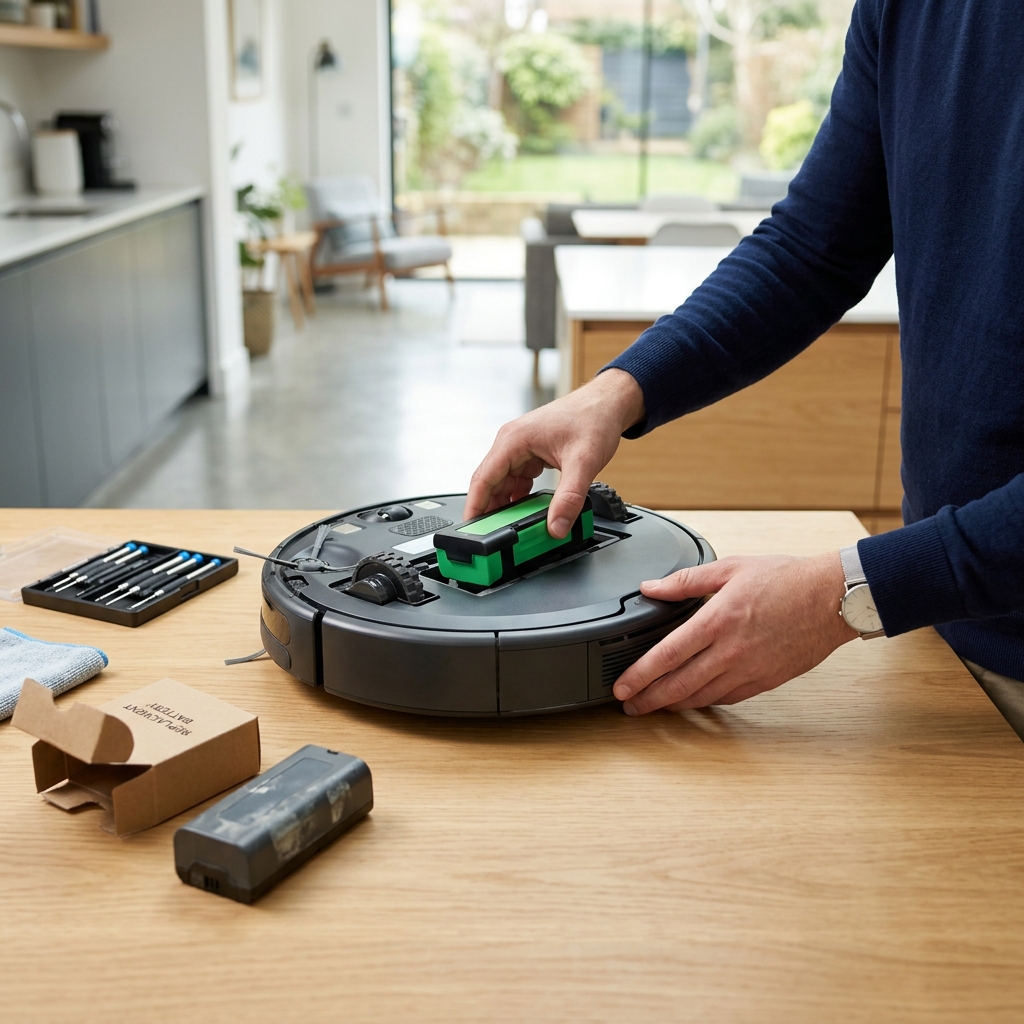
Replacing a robot vacuum battery yourself can save money, but it requires some technical skill and care. Here’s a general guide:
- Check Compatibility: Ensure the replacement battery is specifically designed for your robot vacuum model.
- Safety First: Power off the vacuum and disconnect it from the charger.
- Access the Battery Compartment: Consult your vacuum’s manual for instructions on accessing the battery compartment. This typically involves removing the bottom cover.
- Disconnect the Old Battery: Carefully disconnect the wires connected to the old battery. Important: Take a photo before disconnecting to remember the correct wiring configuration.
- Install the New Battery: Connect the wires to the new battery, ensuring correct polarity (positive to positive, negative to negative).
- Secure the Battery: Secure the new battery in the compartment.
- Reassemble: Reassemble the vacuum.
- Charge & Test: Charge the vacuum fully and test its functionality.
Safety Precautions: Always disconnect the power source before starting. Consider using an ESD (Electrostatic Discharge) safe wrist strap and working on an ESD-safe mat to prevent damage to sensitive electronic components. (Link to ESD safety information). Brand-specific guides are usually available on the manufacturer’s website.
Image/Video Suggestion: Include a short video demonstrating the battery replacement process for a common robot vacuum model.
When to Choose Professional Battery Replacement
While DIY replacement is often feasible, professional replacement is recommended in the following situations:
- Complex Models: Some robot vacuums have intricate designs that make battery replacement difficult.
- Warranty Concerns: Attempting DIY replacement may void your vacuum’s warranty.
- Lack of DIY Skills: If you’re uncomfortable working with electronics, it’s best to leave it to a professional.
UK Service Providers:
- Manufacturer Service Centers: iRobot, Shark, Dyson, Roborock, and Eufy all have authorized service centers in the UK.
- Independent Repair Shops: Many local electronics repair shops offer robot vacuum repair services.
Professional diagnostics can also identify other potential issues with your robot vacuum, ensuring that only the necessary repairs are carried out.
Best Robot Vacuum Batteries to Buy in the UK (2026)
Here are some recommended replacement batteries:
- iRobot Roomba i7+ Replacement Battery: £89.99 – Genuine battery for optimal performance.
- Shark IQ Robot Vacuum Battery: £64.99 – Reliable replacement.
- Dyson 360 Vis Nav Robot Vacuum Battery: £129.99 – Premium quality, long-lasting.
- Eufy RoboVac 11S Max Replacement Battery: £39.99 – Excellent value for money.
- Roborock S7 MaxV Ultra Battery: £99.99 – High capacity, designed for demanding cleaning.
- Universal Robot Vacuum Battery: £29.99 – Compatible with many models, but ensure compatibility before purchase.
Extending Your Robot Vacuum Battery Life: Tips & Maintenance
You can significantly extend your robot vacuum’s battery life with proper care:
- Avoid Full Discharges: Try to avoid letting the battery completely drain before recharging.
- Proper Charging Habits: Don’t leave the vacuum on the charger continuously after it’s fully charged.
- Clean Battery Contacts: Regularly clean the battery contacts to ensure a good connection.
- Store Correctly: Store the vacuum in a cool, dry place.
- Avoid Extreme Temperatures: Don’t expose the vacuum to extreme heat or cold.
- Filter Maintenance: Regularly clean or replace the filters. A clogged filter forces the vacuum to work harder, draining the battery faster.
Robot Vacuum Battery Recycling in the UK
It’s crucial to dispose of old robot vacuum batteries responsibly. Batteries contain hazardous materials that can harm the environment. In the UK, you can recycle batteries through:
- WEEE Recycling Centres: Most local councils have designated WEEE (Waste Electrical and Electronic Equipment) recycling centres.
- Retail Take-Back Schemes: Many retailers that sell batteries offer take-back schemes for old batteries.
- Dedicated Battery Recycling Services: Several companies specialize in battery recycling.
Refer to gov.uk’s battery disposal guidelines for more information.
Frequently Asked Questions (FAQs)
Q: Will a third-party battery affect my robot vacuum’s performance?
While reputable third-party batteries can offer good value, they may not always match the performance of genuine batteries. Look for batteries from trusted brands with good reviews.
Q: Does replacing the battery void my robot vacuum’s warranty?
Generally, yes. DIY battery replacement often voids the manufacturer’s warranty. Check your warranty documentation for specific terms and conditions.
Q: How can I test my robot vacuum battery’s health?
A battery tester, such as the Battery Tester for Robot Vacuum Batteries – £19.99, can help you assess the battery’s voltage and capacity. However, this isn’t always a definitive indicator of overall health.
Q: What tools do I need for DIY battery replacement?
You’ll typically need screwdrivers (often small Phillips head), potentially a plastic opening tool, and ideally an ESD Safe Tool Kit for Robot Vacuum Repair – £34.99 to prevent static damage.
Q: How should I store my robot vacuum battery when not in use for an extended period?
Store the battery partially charged (around 50-60%) in a cool, dry place, away from direct sunlight and extreme temperatures.