
Table of Contents
Introduction: Why Charging Station Placement Matters
Robot vacuum cleaners have become increasingly popular in UK homes, offering a convenient way to maintain clean floors. However, their effectiveness hinges on proper setup – and a crucial element of that setup is charging station placement. Strategic placement isn’t just about finding somewhere to plug it in; it directly impacts your robot’s ability to reliably return to base, recharge, and maintain consistent cleaning schedules. Poor placement can lead to lost connections, failed return-to-base attempts, and ultimately, a less efficient cleaning experience. Considering the often-compact nature of many UK homes, and potential issues with older wiring or uneven floors, this guide will provide the insight needed to make the right choices.
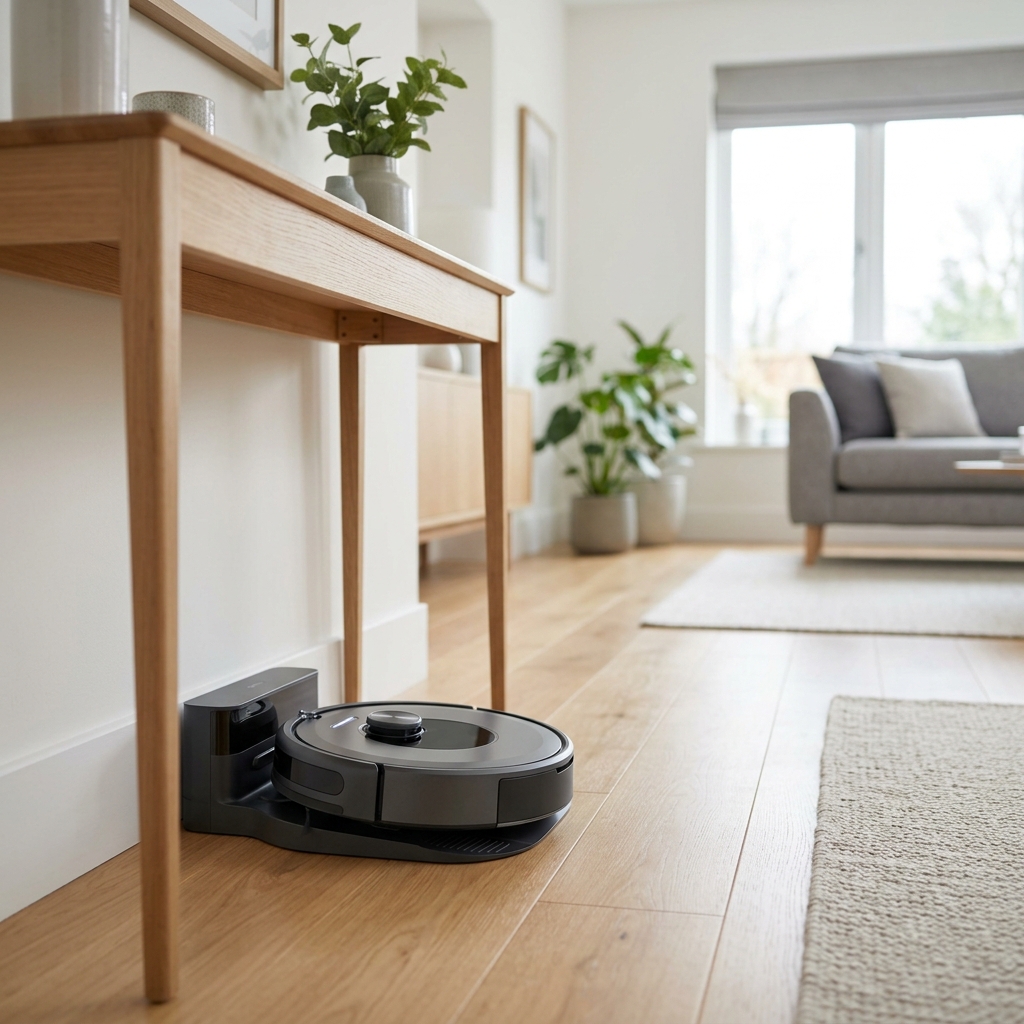
Understanding Your Robot Vacuum’s Requirements
Different robot vacuum models have varying needs regarding charging station placement. More advanced models often rely heavily on sensors for accurate docking. Here’s a breakdown of key factors:
- Infrared (IR) Signals: Many robots use IR signals to locate the base. A clear line of sight is crucial.
- Docking Accuracy: Some models are more forgiving than others. High-end models like the Ecovacs Deebot X2 Omni (£1299.00) boast advanced docking systems, while budget options like the Baseus Robot Vacuum Cleaner (£199.00) may require more precise placement.
- Minimum Space: Most bases require a clear space around them – typically at least 0.5m on either side and 1.5m in front, to allow the robot to manoeuvre.
- Surface Type: The base often needs to be on a hard, level surface. Thick carpet can interfere with docking.
Popular 2026 models and their docking considerations:
- iRobot Roomba i7+ (Self-Emptying) – £699.00: Relies on Clean Base Auto for self-emptying; requires space around both the robot and the base.
- Shark AI Ultra Robot Vacuum – £449.00: Advanced navigation system; benefits from clear surroundings for optimal mapping.
- Ecovacs Deebot X2 Omni – £1299.00: Omni Station with auto-mop washing and drying; requires significant space for the entire station.
- Proscenic V9 Pro Robot Vacuum – £299.00: Uses IR for docking; requires a clear line of sight.
- Yeedi Vac Max Robot Vacuum & Mop – £349.00: Combines vacuuming and mopping; docking space needs to be suitable for both functions.
Ideal Locations: Dos and Don’ts
Let’s dive into the specifics of where *to* and *not to* place your robot vacuum charging station.
Dos:
- Hard Floors: Prioritise placing the base on a hard floor like tile, wood, or laminate.
- Central Location: Choose a central location that provides easy access to most areas of your home.
- Clear Line of Sight: Ensure a clear, unobstructed path between the robot and the base, especially for IR-based models.
- Near a Power Outlet: Seems obvious, but avoid extension leads if possible!
- Stable Surface: A level, stable surface is essential to prevent docking issues.
Don’ts:
- Dark Corners: Dark corners can confuse the robot’s sensors.
- Behind Furniture: Obstacles block the robot’s path and prevent docking.
- On Thick Rugs: Rugs interfere with docking and can damage the base.
- Near Cables: Cables pose a tripping hazard for the robot and can obstruct its path.
- High-Traffic Areas: Constant foot traffic can disrupt the robot’s charging and cleaning.
UK-Specific Considerations: Many UK homes, particularly terraced houses, have uneven floors. Ensure the base is on a level surface, potentially using shims if necessary. Also, be mindful of older wiring – avoid overloading circuits with the vacuum and base.
Avoiding Common Placement Mistakes
Many issues stem from simple placement errors. Here’s how to avoid them:
- Near Stairs: The robot might misjudge the distance and tumble down.
- Under Furniture: Blocks sensors and prevents proper docking.
- On Thick Rugs: As mentioned, rugs interfere with docking.
- Near Cables: A common entanglement hazard. Use cable management solutions.
- In High-Traffic Areas: People bumping into the base can dislodge it or interrupt charging.
Maximising Signal Strength: Wi-Fi and Infrared
Wi-Fi: A strong and stable Wi-Fi connection is vital for robot vacuum operation, especially for models controlled via smartphone apps. If your router is far from the charging station, consider a Wi-Fi extender. Typical UK broadband speeds and router placement – often in a hallway – need to be factored in. Ensure the base isn’t hidden in a metal cabinet, which can block the signal.
Infrared: For robots relying on IR, maintain a clear line of sight. Avoid placing the base behind sheer curtains or glossy surfaces that can reflect the signal. Regularly clean the IR sensors on both the robot and the base with a soft cloth (use a Robot Vacuum Cleaning Tools Kit – £24.99).
Dealing with UK Home Layouts: Terraced Houses, Flats & More
UK homes present unique challenges:
- Terraced Houses: Long, narrow layouts can make it difficult to achieve full coverage. Place the base centrally to minimise travel distance. Consider using Virtual Wall Barriers (Set of 2) – £39.99 to restrict access to certain areas.
- Flats: Space constraints are common. Prioritise a discreet location that doesn’t obstruct movement.
- Older Buildings: Uneven floors and older wiring are prevalent. Pay extra attention to stability and electrical safety.
Optimising for Multi-Floor Homes (If Applicable)
For multi-floor homes, you have a few options:
- Multiple Charging Stations: The most reliable, but also the most expensive, option.
- Virtual Walls: Use virtual walls to prevent the robot from attempting to navigate stairs.
- Mapping Features: Some high-end models can map multiple floors, but require manual carrying between floors.
The cost of multiple stations can add up quickly, so carefully weigh the benefits against the expense.
Troubleshooting: My Robot Vacuum Won’t Return to Base!
Here’s a troubleshooting guide:
- Sensor Cleaning: Clean the IR sensors and cliff sensors.
- Obstacle Removal: Remove any obstacles blocking the path to the base.
- Wi-Fi Connectivity: Check your Wi-Fi connection.
- Base Placement: Verify the base is on a level surface and has sufficient space around it.
- Software Update: Ensure the robot’s software is up to date.
- Hardware Fault: If all else fails, contact the manufacturer’s support:
- iRobot: https://www.irobot.com/support
- Shark: https://www.sharkclean.co.uk/support
- Ecovacs: https://www.ecovacs.com/gb/support
Future Trends in Robot Vacuum Docking (2026 & Beyond)
The future of robot vacuum docking is looking exciting. We’re seeing a rise in:
- Self-Emptying Docks: Becoming standard, like the Roomba i7+.
- Auto-Water Refill Stations: For mop-and-vacuum combos like the Deebot X2 Omni, automated water refills are becoming commonplace.
- Advanced Docking Systems: More precise and reliable docking mechanisms, utilising improved sensors and AI.
- Universal Docks: The potential for docks compatible with multiple robot brands.
Conclusion: Ensuring a Seamless Cleaning Experience
Strategic charging station placement is paramount to achieving a seamless and efficient robot vacuum cleaning experience. By understanding your robot’s requirements, avoiding common mistakes, and optimising for your specific UK home layout, you can ensure your robotic helper stays charged, connected, and consistently delivers a spotless clean. Don’t underestimate the impact of a well-placed base – it’s the foundation of a truly automated cleaning routine.