
Table of Contents
Introduction: Why Dustbin Capacity Matters
Robot vacuums have become increasingly sophisticated, offering a convenient way to maintain clean floors with minimal effort. However, one often-overlooked specification is dustbin capacity. This seemingly small detail significantly impacts how often you need to intervene, emptying the bin and potentially disrupting the automated cleaning schedule. A larger dustbin capacity translates to longer cleaning cycles and less frequent maintenance, especially beneficial for larger homes or those with pets. By 2026, advancements in sensor technology and algorithms mean robot vacuums will be even more efficient at identifying and collecting debris, making dustbin capacity even more crucial for sustained performance. Choosing the right capacity ensures a seamless and truly hands-free cleaning experience.
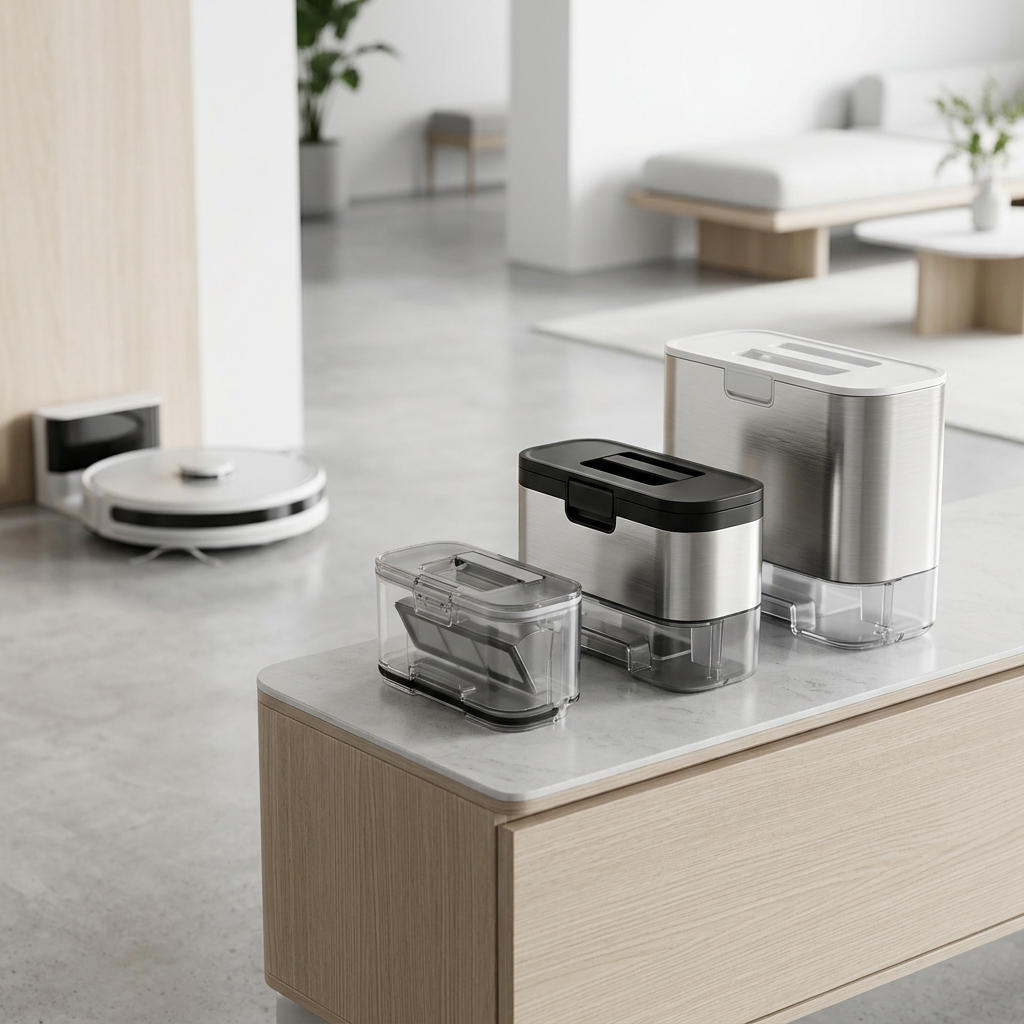
Understanding Robot Vacuum Dustbin Sizes
Robot vacuum dustbin capacity generally ranges from around 300ml to over 800ml. Common sizes you’ll encounter in 2026 include:
- 300ml – 400ml: Suitable for smaller apartments and light cleaning. Requires frequent emptying.
- 400ml – 600ml: A good all-rounder for medium-sized homes with minimal pet hair.
- 600ml – 800ml: Ideal for larger homes or homes with one or two shedding pets.
- 800ml+: Found in premium models, often paired with auto-empty docks, perfect for large homes, multiple pets, or those who prefer minimal intervention.
It’s important to note that capacity (measured in millilitres or litres) doesn’t always directly correlate to cleaning power. A robot vacuum with a smaller dustbin but a powerful motor and efficient brushroll can still outperform a larger capacity model with weaker suction. The type of debris collected also plays a role; fine dust takes up less space than larger particles like cereal or pet food.
Dustbin Capacity vs. Home Size & Pet Ownership
Matching dustbin capacity to your home size and pet ownership is vital. Here’s a guide:
| Home Size | Pet Ownership | Recommended Dustbin Capacity |
|---|---|---|
| Small Apartment (Under 500 sq ft) | No Pets | 300ml – 400ml |
| Medium House (500 – 1500 sq ft) | No Pets | 400ml – 600ml |
| Large House (1500+ sq ft) | No Pets | 600ml – 800ml |
| Small Apartment (Under 500 sq ft) | One Shedding Pet | 400ml – 600ml |
| Medium House (500 – 1500 sq ft) | One or Two Shedding Pets | 600ml – 800ml |
| Large House (1500+ sq ft) | Multiple Pets | 800ml+ (with Auto-Empty Dock recommended) |
Shedding breeds like Labradors, German Shepherds, and long-haired cats produce significantly more pet hair, necessitating a larger dustbin or a robot vacuum with an auto-empty feature.
Impact of Floor Type on Dustbin Filling
The type of flooring in your home influences how quickly the dustbin fills. Hardwood and tile floors tend to accumulate less debris than carpets. Carpets, especially high-pile carpets, trap dust, dirt, and pet hair within their fibres, requiring more frequent vacuuming and resulting in a faster-filling dustbin. Furthermore, the robot vacuum’s brushroll needs to work harder on carpets, potentially loosening more debris. By 2026, algorithms will be better at recognising floor types and automatically adjusting suction power, but the inherent difference in debris generation will remain.
Manual Emptying vs. Auto-Empty Docks: What’s Best?
Manual Emptying: Requires you to physically remove the dustbin from the robot vacuum and empty it into a bin. It’s the most affordable option but can be inconvenient, especially if you run the robot vacuum daily.
Auto-Empty Docks: These docks automatically suck the debris from the robot vacuum’s dustbin into a larger, sealed bag within the dock. This significantly reduces the frequency of manual emptying – often to once a month or even less.
Here’s a comparison:
| Feature | Manual Emptying | Auto-Empty Dock |
|---|---|---|
| Cost | £0 – Included with the robot vacuum | £200 – £500 (additional cost) |
| Convenience | Low – Requires frequent emptying | High – Minimal manual intervention |
| Maintenance | Simple – Just empty the bin | Moderate – Replace dust bags and occasionally clean the dock. |
| Hygiene | More direct contact with dust | Sealed bag system – better for allergy sufferers |
By 2026, auto-empty dock technology is expected to become more sophisticated. We anticipate features like automatic bag ordering, improved sealing to prevent dust leakage, and smaller, more efficient dock designs. Some manufacturers are also exploring self-sterilizing docks to reduce odour and bacteria build-up.
Top Robot Vacuums with Large Dustbin Capacities (2026)
Here are some of the top robot vacuums with large dustbin capacities available in 2026 (estimated pricing):
- iRobot Roomba j7+ (with Clean Base): 700ml dustbin + auto-empty dock. Excellent obstacle avoidance and smart mapping. Estimated Price: £899
- Shark IQ Robot Self-Empty XL: 800ml dustbin + auto-empty dock. Powerful suction and self-cleaning brushroll. Estimated Price: £649
- Ecovacs Deebot X2 Omni: 800ml dustbin + auto-empty, auto-mop washing, and hot air drying. Comprehensive cleaning solution. Estimated Price: £1299
- Roborock S8 Pro Ultra: 800ml dustbin + auto-empty, sonic mopping, and obstacle avoidance. Highly rated for performance and features. Estimated Price: £1199
- Dreame L10s Ultra: 600ml dustbin + auto-empty, mop washing, and hot air drying. A more affordable premium option. Estimated Price: £849
Tips for Maximising Dustbin Capacity & Reducing Emptying Frequency
- Pre-clean floors: Remove large debris and clutter before running the robot vacuum.
- Use boundary markers: Define no-go zones to prevent the robot vacuum from entering areas with excessive debris.
- Schedule frequent cleanings: Short, frequent cleaning cycles prevent dust from building up excessively.
- Regularly clean filters: Clogged filters reduce suction power and can make the dustbin fill up faster.
- Optimise cleaning mode Use ‘Eco’ mode when appropriate, as this uses less power and may collect less debris.
Troubleshooting: What if Your Dustbin Fills Up Too Quickly?
If your robot vacuum’s dustbin is filling up too quickly, consider these troubleshooting steps:
- Check for clogged filters: Clean or replace the filters as needed.
- Inspect the brushroll: Remove any tangled hair or debris from the brushroll.
- Examine the sensors: Ensure the sensors are clean and functioning correctly.
- Reduce carpet pile height: If possible, lower the carpet pile to reduce dust accumulation.
- Check for leaks: Examine the dustbin and seals for any leaks that could allow debris to bypass the filter.
Future Trends in Robot Vacuum Dustbin Technology (2026 & Beyond)
The future of robot vacuum dustbin technology is exciting. We anticipate:
- Self-compressing dustbins: Technology that compacts debris within the dustbin, increasing capacity without changing the physical size.
- Larger capacity auto-empty docks: Docks that can hold several weeks’ worth of debris, further reducing maintenance.
- Improved dust detection systems: AI-powered systems that identify areas with high dust concentration and focus cleaning efforts accordingly.
- Biodegradable dust bags: More environmentally friendly dust bag options for auto-empty docks.
Conclusion: Choosing the Right Dustbin Capacity for Your Needs
Choosing the right robot vacuum dustbin capacity is crucial for a convenient and effective cleaning experience. Consider your home size, pet ownership, floor types, and cleaning habits. A larger dustbin or an auto-empty dock is highly recommended for larger homes and pet owners. Don’t solely focus on capacity; also consider the robot vacuum’s suction power, brushroll design, and overall performance. By carefully evaluating these factors, you can find the perfect robot vacuum to keep your floors clean with minimal effort.