
Table of Contents
Why Regular Robot Vacuum Maintenance Matters
Robot vacuums have become a staple in many UK homes, offering a convenient way to keep floors clean with minimal effort. However, like any appliance, they require regular maintenance to perform optimally. Ignoring a maintenance schedule can lead to reduced cleaning performance, a shortened lifespan, and potentially costly repairs. Maintaining your robot vacuum also ensures you don’t invalidate any manufacturer’s warranty.
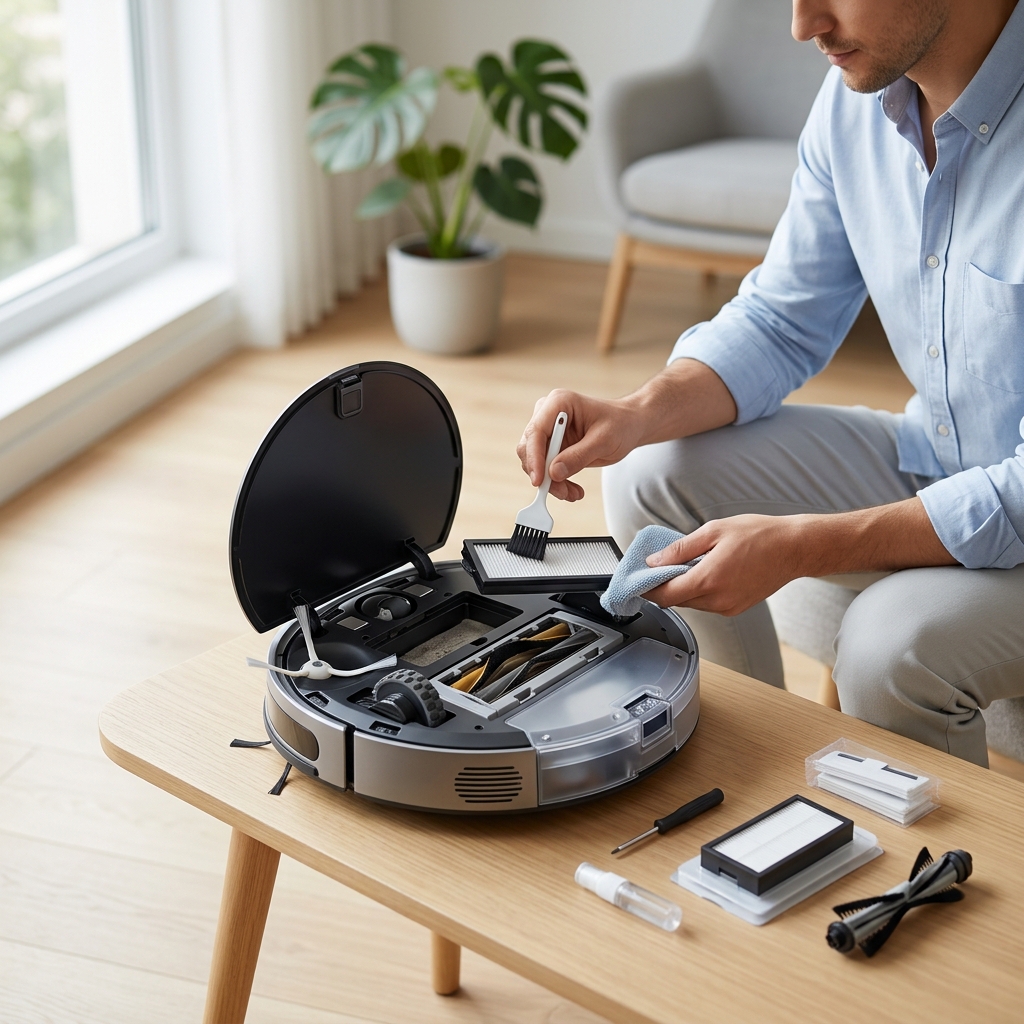
Dust, pet hair, and debris are the enemies of your robotic cleaner. They accumulate in the dustbin, tangle around brushes, clog filters, and can even damage sensors. A well-maintained robot vacuum not only cleans better but also saves you money in the long run by preventing premature failure.
Daily Robot Vacuum Maintenance (5 Minutes)
These quick tasks will keep your robot vacuum functioning smoothly between more thorough cleans:
- Empty the Dustbin: This is the most crucial daily task. The frequency depends on your home’s size and whether you have pets. A small flat with no pets might only require emptying every 2-3 days, while a large, hairy household could need daily emptying. Check the dustbin after each cleaning cycle.
- Check for Tangled Brushes: Quickly inspect the main brush and side brushes for any tangled hair or fibres. Remove any obstructions immediately.
- Spot Clean Sensors: Use a soft, dry microfiber cloth to gently wipe any visible dust or debris from the cliff sensors (located on the underside of the robot) and the wall-following sensor (usually on the side).
Best-Selling Dustbins for Robot Vacuums (2026)
While many robot vacuums come with their own dustbin solutions, replacement options can be beneficial, especially if you want extra capacity or a more hygienic emptying process.
| Product | Capacity | Price (GBP) | Compatibility |
|---|---|---|---|
| iRobot Roomba j7+ Replacement Filter (3-Pack) | N/A – Filter pack | £29.99 | Roomba j7+ series |
| Shark IQ Robot Self-Empty Base Filter (2-Pack) | N/A – Filter pack | £24.99 | Shark IQ Robot Self-Empty Base |
| Proscenic V9 Robot Vacuum Cleaner Replacement Filter | N/A – Filter pack | £19.99 | Proscenic V9 series |
Weekly Robot Vacuum Maintenance (15-20 Minutes)
A more detailed clean once a week will prevent build-up and ensure optimal performance:
- Thorough Brush Cleaning: Remove the main brush and side brushes. Use the included cleaning tool (or scissors) to carefully cut away any tangled hair, string, or fibres. Pay close attention to the brush ends.
- Wipe Down Sensors: Use a clean, slightly damp (not wet!) microfiber cloth to thoroughly wipe down all sensors, including cliff sensors, wall sensors, and any optical sensors.
- Clean Charging Contacts: Use a dry cloth to clean the charging contacts on both the robot and the charging base. This ensures a reliable charging connection.
- Check for Obstructions: Scan the areas where the robot vacuum operates for small objects (cables, socks, toys) that could obstruct its path.
Troubleshooting Common Brush Tangles
Persistent tangles often indicate the need for a brush replacement. If cleaning doesn’t resolve the issue, consider a new brush roll.
Monthly Robot Vacuum Maintenance (30-45 Minutes)
These tasks require a bit more time and attention but are essential for long-term health:
- Deep Clean Dustbin and Filter: Remove the dustbin and wash it with mild soap and water. Let it dry completely before reassembling. Check your robot vacuum’s manual for filter cleaning instructions. Many filters can be tapped to remove dust, but require replacing periodically.
- Filter Replacement Frequency: HEPA filters generally need replacing every 2-3 months, while standard filters can last up to 6 months. A clogged filter significantly reduces suction power.
- Clean the Wheels: Remove any hair, debris, or fibres wrapped around the wheels. This ensures smooth movement and prevents motor strain.
- Check Cliff Sensors: Ensure the cliff sensors are free of dust and debris. A dirty sensor can cause the robot to incorrectly detect drops and avoid certain areas.
Filter Types: HEPA vs. Standard
| Filter Type | Effectiveness | Cost | Lifespan |
|---|---|---|---|
| HEPA (High-Efficiency Particulate Air) | Removes 99.97% of particles 0.3 microns in size. Best for allergy sufferers. | £20 – £40 (per pack) | 2-3 months |
| Standard | Removes larger particles. | £10 – £20 (per pack) | 4-6 months |
Annual Robot Vacuum Maintenance (60+ Minutes)
A comprehensive annual check-up will help identify potential issues before they become major problems:
- Replace Filters: Replace both the dustbin filter and any HEPA filter.
- Inspect and Replace Brushes: Examine the brushes for wear and tear. Replace them if the bristles are worn or bent.
- Check Battery Health: Note the robot’s cleaning time. If it’s significantly reduced, the battery may need replacing. Battery replacement costs vary from £50 to £150 depending on the model.
- Full System Check: Inspect all components for damage or wear. Check the wheels, sensors, and charging contacts.
- Professional Servicing: Consider taking your robot vacuum to a professional service centre for a thorough inspection and cleaning. Costs typically range from £60 – £100.
Troubleshooting Common Robot Vacuum Issues
Here are some common issues and basic troubleshooting steps:
- Error Codes: Consult your robot vacuum’s manual for a list of error codes and their meanings.
- Reduced Suction: Check the dustbin, filter, and brushes for obstructions.
- Navigation Problems: Ensure the sensors are clean and the robot’s path is clear of obstacles. Re-mapping the area may also help.
- Battery Issues: Check the charging contacts and ensure the robot is charging correctly.
- Connectivity Problems: Restart the robot and your Wi-Fi router. Check the app for updates.
Maintaining Your Robot Vacuum’s Smart Features
Modern robot vacuums often come with smart features that require attention:
- Software Updates: Regularly check for and install software updates through the companion app. These updates often include bug fixes, performance improvements, and new features.
- App Maintenance: Keep the robot vacuum’s app updated on your smartphone or tablet.
- Optimal Mapping Performance: Avoid moving furniture or significantly altering the layout of your home, as this will require re-mapping.
- Security Risks: Be mindful of potential security risks associated with connected devices. Use a strong Wi-Fi password and keep your robot vacuum’s firmware updated.
Robot Vacuum Maintenance Tools You’ll Need
Having the right tools makes maintenance much easier:
- Cleaning Brushes: Small brushes for cleaning narrow crevices and removing dust.
- Microfiber Cloths: For wiping down sensors and other surfaces.
- Small Screwdrivers: For disassembling components (refer to your manual).
- Scissors: For cutting tangled hair and fibres.
- Replacement Parts: Filters, brushes, and wheels (see our recommendations below).
Recommended Replacement Parts (2026)
| Product | Price (GBP) | Use |
|---|---|---|
| Eufy RoboVac 11S MAX Brush Roll | £14.99 | Replacing a worn main brush. |
| Neato Botvac D Series Brush Module | £34.99 | Complete brush module replacement. |
| Robot Vacuum Side Brushes (Universal) | £9.99 | Replacing worn side brushes. |
| Robot Vacuum Cleaning Tool Kit | £19.99 | A complete kit with various cleaning tools. |
By following this robot vacuum maintenance schedule, you can keep your cleaner running like new for years to come, enjoying a consistently clean home with minimal effort.