
Table of Contents
Introduction: Why Robot Vacuum Maintenance Matters
Robot vacuums have become increasingly popular in UK homes, offering a convenient way to maintain clean floors with minimal effort. From the iRobot Roomba i7+ (£699.99) to the feature-rich Ecovacs Deebot X2 Omni (£999.99), these little helpers save time and energy. However, like any automated appliance, regular maintenance is absolutely crucial. Neglecting maintenance can lead to reduced performance, shorter lifespan, and even invalidate your warranty. Common issues arising from a lack of care include decreased suction power, battery problems, sensor failures, and tangled brushrolls. Investing a little time in upkeep will ensure your robot vacuum continues to deliver a sparkling clean for years to come.
Daily/After Each Use Maintenance
These are the quick tasks you should perform every time after your robot vacuum has finished its cleaning cycle:
- Empty the Dustbin/Collection Chamber: This is arguably the most important daily task. A full dustbin significantly reduces suction power. Many models, like the iRobot Roomba i7+, have self-emptying docks, but these still require emptying periodically (typically every few weeks).
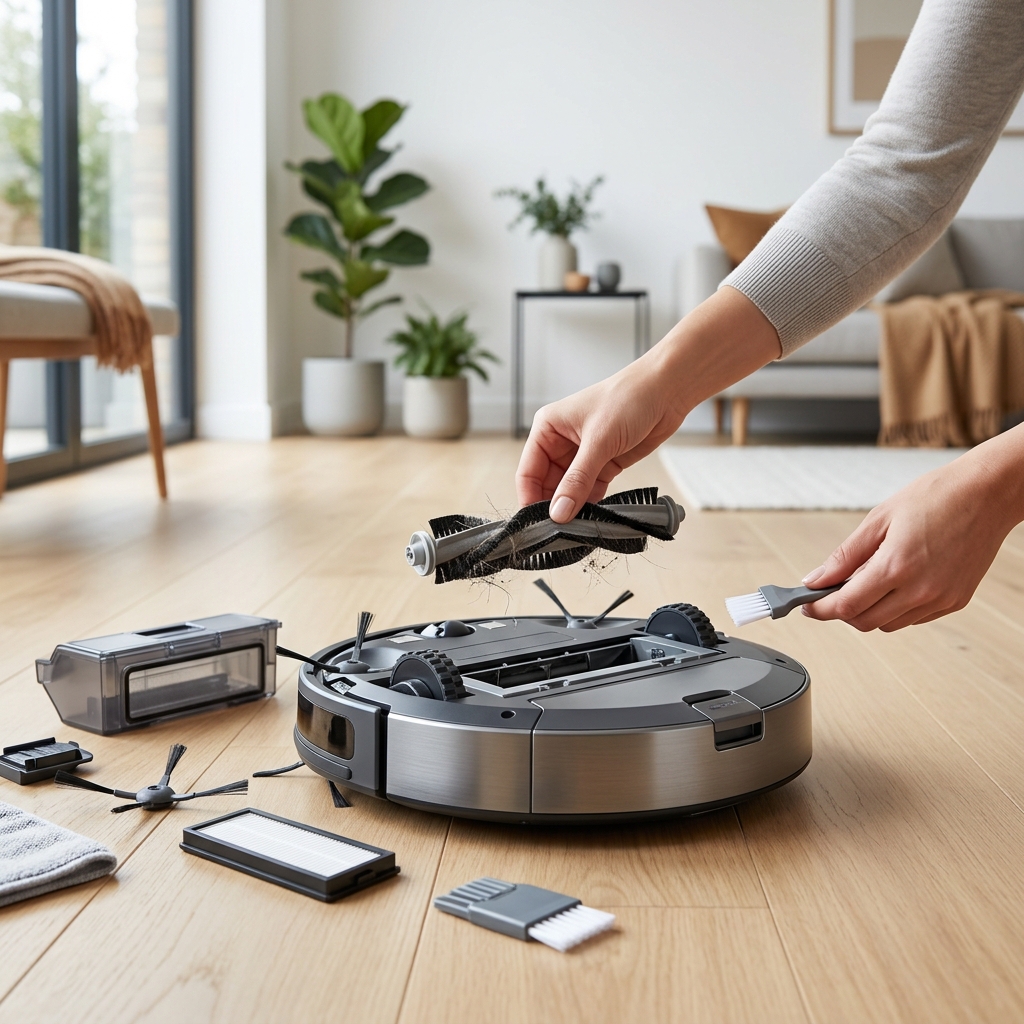
- Quick Brushroll Check: Visually inspect the brushroll for any visible hair tangles, threads, or debris. Quickly remove these to prevent them from wrapping around the motor and causing damage.
- Sensor Wipe: Gently wipe the cliff sensors (usually located on the underside of the robot) and the wall-following sensor with a clean, dry microfibre cloth. Dust and grime can interfere with their accuracy.
Weekly Maintenance: Deeper Cleaning
Once a week, dedicate a little more time to a more thorough cleaning:
- Thorough Brushroll Cleaning: Remove the brushroll and use the cleaning tool provided with your robot (or small scissors) to carefully remove any remaining tangled hair, threads, and debris.
- Filter Cleaning or Replacement: Check your robot vacuum’s filter. Most filters are washable (refer to your manual). Rinse under cold water and allow to dry completely (usually 24 hours) before re-installing. HEPA filters are particularly important for allergy sufferers, as they trap fine dust and allergens. The Replacement iRobot Roomba Filter (3-Pack) (£24.99) is a good option for Roomba owners. Replace filters according to the manufacturer’s recommendations (typically every 1-3 months).
- Wheel/Caster Cleaning: Hair and debris can easily get wrapped around the wheels and casters, hindering movement. Remove any obstructions and ensure the wheels rotate freely.
Monthly Maintenance: Preventative Checks
These tasks are less frequent but equally important for long-term performance:
- Battery Health Check: Observe the robot’s cleaning time. If it’s significantly shorter than when new, the battery may be degrading. Lithium-ion batteries have a limited lifespan (typically 2-3 years) and will eventually need replacing.
- Charging Contact Inspection: Clean the charging contacts on both the robot and the charging dock with a dry cloth. Dirty contacts can prevent the robot from charging properly.
- Detailed Sensor Cleaning: Use a soft brush or compressed air to remove dust from all sensors, including object detection sensors.
- Software Updates: Most modern robot vacuums receive software updates via a mobile app. These updates often include performance improvements, bug fixes, and new features. Regularly check for and install updates.
Troubleshooting Common Robot Vacuum Issues
Here are some common problems and their solutions:
- Robot Not Charging: Check the charging contacts, ensure the charging dock is plugged in and receiving power, and try resetting the robot.
- Robot Getting Stuck: Identify the areas where the robot gets stuck (e.g., under furniture, on rugs with tassels). Create no-go zones in the app or remove obstacles.
- Poor Suction: Empty the dustbin, clean the filter, and check for blockages in the suction pathway.
- Error Messages: Refer to your robot vacuum’s manual or the manufacturer’s website for specific error code explanations and troubleshooting steps.
Here are some useful manufacturer support links:
Replacing Parts: When and What to Replace
Here’s a general guideline for part replacement:
| Part | Lifespan | Replacement Cost (Approx.) |
|---|---|---|
| Filters | 1-3 months | £15 – £30 (for a multi-pack) |
| Brushrolls | 6-12 months | £20 – £40 |
| Side Brushes | 3-6 months | £10 – £20 (for a pair) |
| Battery | 2-3 years | £80 – £150+ |
Always use genuine manufacturer parts whenever possible. Aftermarket parts may not fit properly or perform as well.
Maintaining Your Robot Vacuum’s Sensors
Robot vacuums rely on various sensors to navigate and clean effectively:
- Cliff Sensors: Prevent the robot from falling down stairs. Keep these clean to ensure accurate detection.
- Wall Sensors: Allow the robot to follow walls closely. Dust buildup can cause inaccurate wall following.
- Object Detection Sensors: Help the robot avoid obstacles. These are crucial for preventing collisions and getting stuck.
- Dirt Detect Sensors: Identify areas with higher concentrations of dirt and debris, prompting the robot to clean more thoroughly.
Regularly wipe all sensors with a clean, dry microfibre cloth. Avoid using liquids or abrasive cleaners.
Robot Vacuum Maintenance for Pet Owners
If you have pets, you’ll need to increase your maintenance frequency:
- More Frequent Emptying: Pet hair accumulates quickly, so empty the dustbin after *every* use.
- Daily Brushroll Cleaning: Pet hair can easily tangle around the brushroll, reducing its effectiveness.
- Odour Control: Consider robot vacuums with odour control features or use pet-specific cleaning solutions.
- Robot Vacuum Recommendation: The Roborock S8 Pro Ultra (£1199.99) and Shark AI Robot Vacuum AV2501AE (£449.99) are known for their excellent pet hair pickup capabilities.
Winter Maintenance Tips (UK Specific)
The UK winter presents unique challenges for robot vacuums:
- Wet Floors: Avoid using the robot vacuum on wet floors. Water can damage the internal components.
- Salt Residue: Salt tracked indoors from shoes can corrode the robot’s sensors and components. Wipe up spills promptly.
- Increased Debris: More mud and debris are tracked indoors during the winter, requiring more frequent emptying and cleaning.
Conclusion: Keeping Your Robot Vacuum Happy
Consistent robot vacuum maintenance is key to ensuring optimal performance, extending its lifespan, and maintaining your warranty. By following these simple tips – from daily dustbin emptying to monthly sensor checks – you can keep your robotic cleaner running smoothly for years to come. Remember to always refer to your robot vacuum’s manual for specific instructions and recommendations.
FAQ
Q: How often should I replace the battery in my robot vacuum?
Typically, a robot vacuum battery will last between 2-3 years, depending on usage. Signs of a degrading battery include significantly reduced cleaning time and difficulty charging.
Q: Can I use vinegar to clean my robot vacuum?
No, avoid using vinegar or other harsh chemicals. They can damage the sensors and internal components. Use a damp microfibre cloth with water only.
Q: My robot vacuum is constantly getting stuck under furniture. What can I do?
Create no-go zones in the app to prevent the robot from entering those areas. Alternatively, raise the furniture slightly or add obstacles to prevent access.
Q: How important is a HEPA filter?
A HEPA filter is particularly important for allergy sufferers, as it traps fine dust, pollen, and other allergens, improving air quality.
Q: Is it worth paying extra for a self-emptying robot vacuum?
A self-emptying base station can significantly reduce the frequency of dustbin emptying, making it a worthwhile investment for many users, especially pet owners or those with larger homes.